
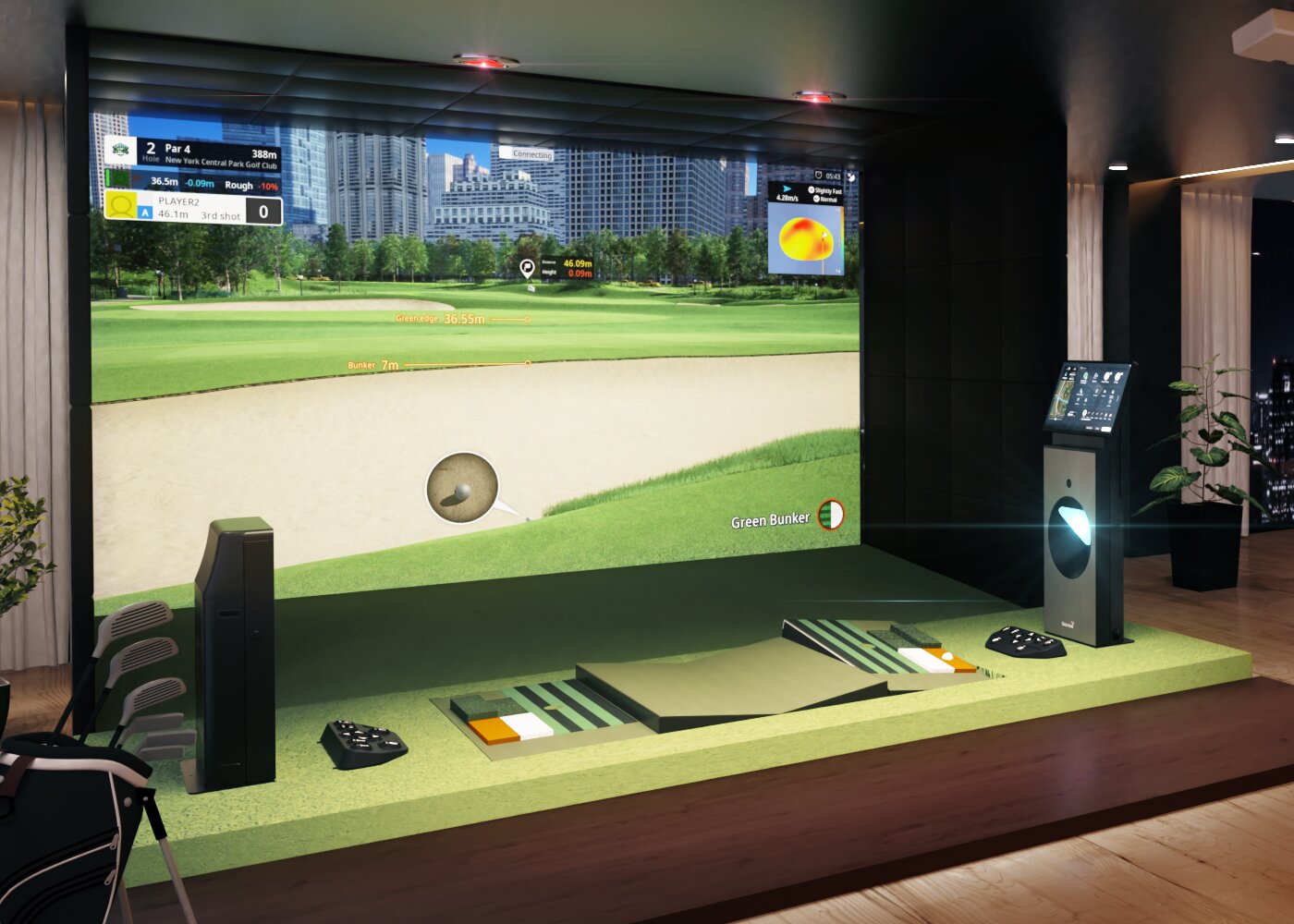
GOLFZON TwoVisionNX is built around a useful improvement loop:
Hit. Measure. Review. Adjust. Retest.
Detailed club and ball data, swing replay, a pressure-sensing moving floor, multiple hitting surfaces, dedicated short-game practice and the redesigned GOLFZON Global App make it possible to turn simulator time into measurable practice rather than simply hitting more balls.
Measure More Than Distance
TwoVisionNX Driving Range can track up to 20 data points and organize results by club. Available measurements include carry, ball speed, club-head speed, launch angle, attack angle, face angle, face-to-path, club path, spin axis and spin rate.
The advantage isn’t simply having more numbers. It’s being able to isolate a problem.
Working on a slice? Watch face-to-path and dispersion.
Dialing in wedges? Focus on carry consistency.
Optimizing driver? Compare launch, spin and strike efficiency rather than chasing the longest ball.
Our Recommendation
Pick two or three metrics tied to one goal and evaluate the pattern of 8–12 shots.
Don’t judge a session by the best ball you hit.
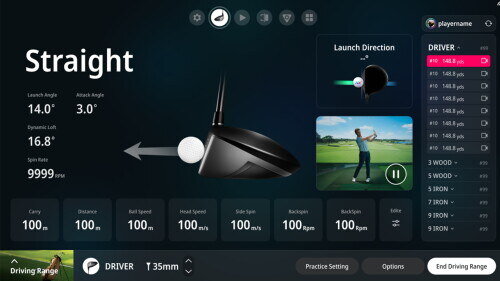
Source: GOLFZON TwoVisionNX
Practice Real Lies—not Just a Flat Mat
GOLFZON’s current TwoVisionNX specifications list its Motion Plate as pressure-sensing, moving in 64 directions and capable of producing up to 56,000 possible lies.
The system also uses five hitting surfaces: a fairway surface, two rough textures and two bunker textures.
That matters because real golf isn’t played from a perfect stance.
Sidehill, uphill, downhill, rough and bunker shots change your balance, setup, contact and expected ball flight.
Our Recommendation
Once a club pattern becomes consistent from a flat lie, hit the same target from several uneven lies.
Learn how the shot changes instead of trying to force exactly the same swing everywhere.
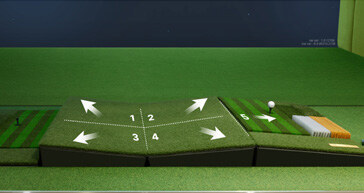
Source: GOLFZON TwoVisionNX technical specifications
Practice the Shots That Actually Lower Scores
The current NX practice interface includes Driving Range, On-Course Approach, Approach, Pitch & Chip and Putting options.
TwoVisionNX also incorporates an LED putting guide designed to help with putting direction.
That makes it easier to build practice around an actual weakness instead of spending an hour hitting driver.
A Simple 45-Minute NX Session
- 10 minutes: warm-up and baseline
- 20 minutes: one primary weakness
- 10 minutes: approach, wedge or putting work
- 5 minutes: pressure test or baseline retest
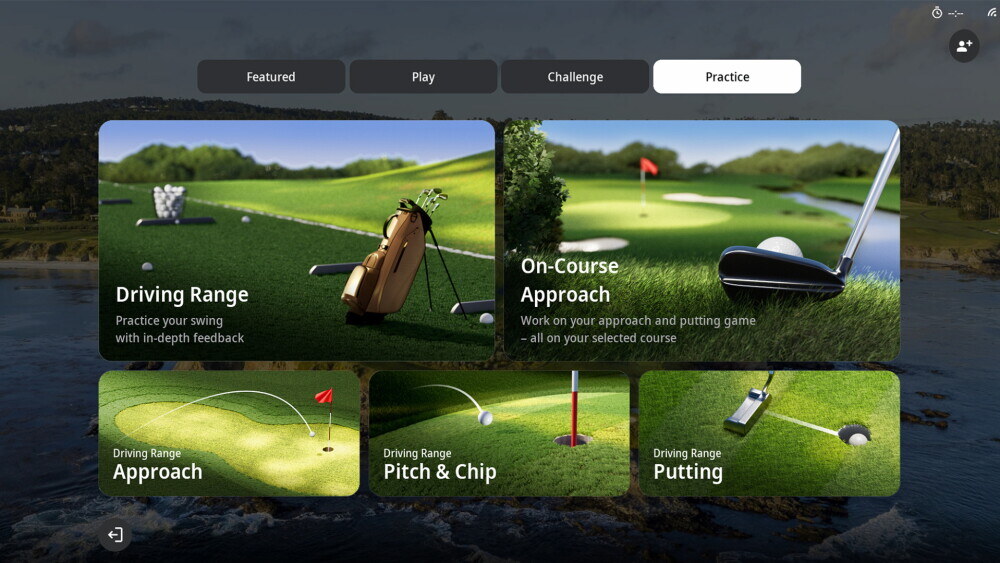
GOLFZON TwoVisionNX Feature Upgrade: Shot Practice Mode
Connect Swing Video to Shot Data
TwoVisionNX uses high-speed camera sensing, with sensors positioned above and in front of the player, and includes swing replay as part of the system.
The useful part is connecting three things:
- What the swing felt like.
- What it actually looked like.
- What the ball did.
If a swing feels dramatically different but the numbers barely change, that’s useful feedback.
If the numbers improve but the movement isn’t repeatable, the video may help explain why.
Our Recommendation
When you’re making a technical change, pause after a representative shot.
Review the swing and the data before immediately hitting another ball.
GOLFZON TwoVisionNX Demo with New UI/UX — the current GOLFZON TwoVisionNX page features this demo alongside additional official NX videos.
The New GOLFZON App Closes the Feedback Loop
GOLFZON completely relaunched its Global App on July 29, 2026. The redesigned app added visual shot-dispersion maps, club-by-club performance tracking, progress graphs, swing-video history, Round Planner, detailed course information and improved Network Play integration.
GOLFZON says shot data and swing videos can be retained for up to three months, giving golfers a much better way to compare sessions over time.
That changes the question from:
“Did I hit it well today?”
to:
“Is my pattern actually improving?”
Our Recommendation
Establish a baseline with several important clubs.
Work on one issue for a few sessions.
Then repeat the same test.
Look for tighter dispersion, more predictable carry and a more manageable miss.
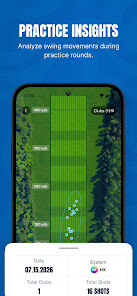
Source: GOLFZON Global App relaunch
When the Data Shows a Pattern, Know What to Change
Simulator data can show you what is happening.
That doesn’t always mean you’ll know why.
If you can clearly see the miss but aren’t sure what is causing it, instruction can shorten the trial-and-error process.
Pin Seeker offers individual instruction with TPI-certified instructor Michael Korum, including personalized instruction, a TPI physical screen and an improvement plan.
Practice With a Purpose at Pin Seeker
TwoVisionNX isn’t valuable because it produces more statistics.
It’s valuable because it lets you test cause and effect in a repeatable environment.
- Measure the shot.
- Review the swing.
- Change the lie.
- Retest the pattern.
- Track the result.
That’s a much better use of simulator time than simply hitting more balls.
RECENT ARTICLES